

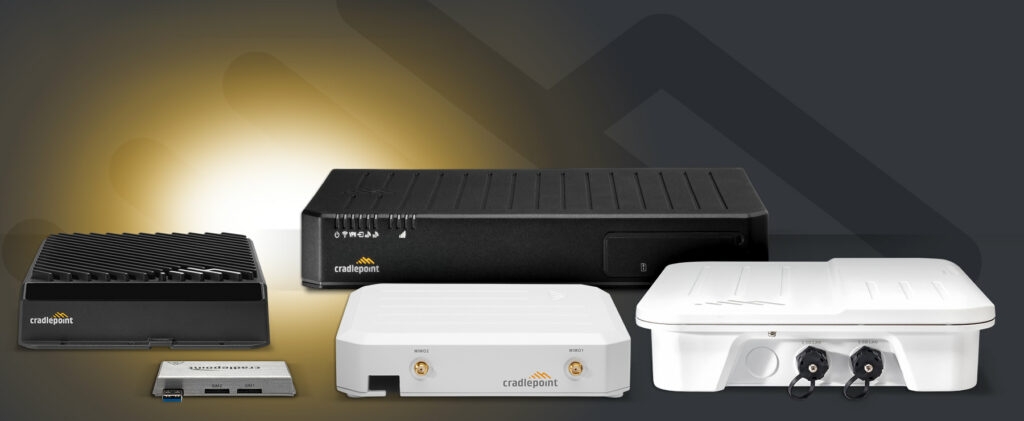
Cradlepoint cellular router and adapter rollouts
Make every Cradlepoint site ready with the correct model, SIM, antenna, NetCloud license, mount, power and failover test.
What makes this rollout different
A Cradlepoint rollout package should identify the exact router or adapter, modem, SIM or eSIM, carrier plan, antenna kit, mount, power supply and NetCloud license for each site. Device family and modem must support the intended carrier and region before equipment is shipped.
Field readiness includes circuit or LAN handoff, rack or wall location, power, antenna route and permission to change WAN service. External antennas add connector, cable-loss, grounding and weatherproofing decisions. Signal quality is measured at candidate locations rather than assumed from a phone.
NetCloud staging controls account, group, configuration and firmware. Site acceptance verifies routing or adapter handoff, representative applications, primary-to-cellular failover and recovery. SIM, modem and antenna records are protected as operational data.
Platform families in the field package
The site kit, instructions and validation must match the role of each product family.
Branch routers
Fixed-site primary or backup WAN appliances.
Cellular adapters
Cellular handoff to existing routers or firewalls.
Mobile and IoT endpoints
Rugged devices for vehicles and distributed equipment.
NetCloud
Inventory, configuration, health, licensing and update coordination.
Repeatable deployment runbook
Every stage has prerequisites, an owner, evidence and a clear exception path.
Kit
Reconcile device, modem, SIM, antenna, mount, power and labels.
Stage
Assign the correct NetCloud group, configuration and approved firmware.
Install
Measure signal, mount, cable, power and connect the intended WAN role.
Validate
Test service, failover, recovery, cloud visibility and evidence.
Site acceptance evidence
- Device and modem are active in the intended NetCloud account.
- Carrier, SIM and antenna metrics meet the approved operating threshold.
- Failover and recovery work with representative applications.
- Serial, IMEI, SIM reference, antenna, mount and photos are reconciled.
Official Ericsson Cradlepoint resources
Current release notes, compatibility, software and firmware remain at the manufacturer portals below. TechRunz does not mirror firmware files.
Detailed planning and product-family guides
Use these Ericsson Cradlepoint field guides for detailed staging, activation and closeout procedures.
Prepare a repeatable Ericsson Cradlepoint rollout
Share the site list, equipment, standards, remote resources and acceptance requirements. We can help build the pilot and deployment package.
Discuss rollout services