

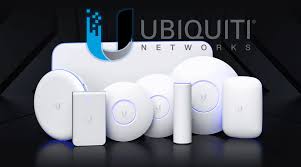
Ubiquiti UniFi field deployment and migration
Control the UniFi console, adoption, gateway, switching, PoE, AP placement and evidence across distributed sites.
What makes this rollout different
UniFi rollout planning identifies the console or cloud gateway, site, administrator owner, backup, target application release and firmware before devices are adopted. A device already tied to another console requires an approved migration, credentials and rollback path—not an unplanned factory reset.
Gateway work requires circuits and routing information. Switch work requires rack, power, uplinks, VLANs, port profiles and PoE. AP work requires certified cabling, approved location and representative wireless validation. The field package separates these responsibilities.
Closeout records serials, MACs, switch ports, AP locations, console visibility, backups and software versions. Cloud access credentials and exported configurations remain in the client’s protected repository rather than public work notes.
Platform families in the field package
The site kit, instructions and validation must match the role of each product family.
UniFi gateways
Routing, security and application hosting tied to circuit readiness.
UniFi switches
Cloud-managed switching, uplinks, PoE and endpoint patching.
UniFi access points
Indoor and outdoor APs installed to the approved RF plan.
UniFi Network
Console, adoption, configuration, backup and lifecycle operations.
Repeatable deployment runbook
Every stage has prerequisites, an owner, evidence and a clear exception path.
Console gate
Confirm ownership, site, backup, admin and target release.
Readiness
Verify circuits, rack, power, links, PoE and AP locations.
Adopt
Install and adopt without overwriting the approved design.
Prove
Test service and capture ports, AP map, versions, photos and exceptions.
Site acceptance evidence
- Devices appear in the intended console and site with correct identity.
- Gateway routing and representative services operate as approved.
- Switch uplinks, VLANs, ports and PoE match the field plan.
- Wireless clients connect, roam and pass representative tests.
Official Ubiquiti UniFi resources
Current release notes, compatibility, software and firmware remain at the manufacturer portals below. TechRunz does not mirror firmware files.
Detailed planning and product-family guides
Use these Ubiquiti UniFi field guides for detailed staging, activation and closeout procedures.
Prepare a repeatable Ubiquiti UniFi rollout
Share the site list, equipment, standards, remote resources and acceptance requirements. We can help build the pilot and deployment package.
Discuss rollout services